
Published 26 February 2026 | Updated 29 May 2026
Technology
Web App vs Mobile App Development: Which Is Better for Your Business in 2026?
Choosing between a web app and a mobile app can be challenging for businesses planning their digital strategy. Both options offer unique benefits, and the decision often depends on budget, target audience, and long-term goals. The ongoing debate around mobile app development vs web development continues as technology evolves. This guide breaks down the key differences, advantages, costs, and market trends to help you decide which solution best fits your business needs.
Transform Your Digital Experience
Web App vs Mobile App — Which Should You Build? A web app runs in any browser without installation and is faster and cheaper to build — ideal for businesses needing broad reach and quick market entry. A mobile app is installed on a device and delivers superior performance, offline access, and deeper device integration — ideal for businesses where high user engagement and native features drive core value. In 2026, the right choice depends on your audience, budget, features required, and long-term business goals.
- Here are the key takeaways from the article:
- There Is No Universal Winner — Context Determines the Right Choice Web app vs mobile app is not a question with one correct answer. The right platform depends entirely on who your users are, how they behave, what features your product needs, and what your budget and timeline allow. Any decision made without working through these variables is a guess.
- Mobile Dominates Engagement, Web Leads in Enterprise B2B Users spend 90% of their mobile time inside apps, not browsers. Mobile apps convert at 3x the rate of mobile websites in e-commerce. But web-based SaaS platforms are growing faster in enterprise revenue concentration and B2B contexts. Platform preference follows use case, not a single industry trend.
- The Cost Gap Has Narrowed Significantly Cross-platform frameworks like Flutter and React Native have reduced mobile development timelines by 40–50% compared to building separate native iOS and Android apps. Mobile is now accessible to budgets that previously could only justify a web app. Get updated quotes before ruling it out.
- PWAs Are the Underutilised Middle Ground Progressive Web Apps deliver near-native mobile experiences — home screen installation, offline support, push notifications — at a fraction of full native app cost. The national retailer example in this article achieved a 34% uplift in mobile conversion with a PWA built in 14 weeks. For e-commerce and content businesses, PWAs deserve serious evaluation.
- Your Users' Context Has Already Made Part of the Decision If your primary users are desk-based professionals accessing the product during working hours, a web app is almost certainly the right foundation. If they are on smartphones, on the move, in variable connectivity, or relying on device features like camera or GPS, mobile is the answer. The mistake is letting budget preferences override user reality.
- Feature Requirements Are the Most Objective Decision Factor Offline functionality, push notifications, camera, GPS, biometric authentication, and background processing all sit firmly in mobile's column. Complex data dashboards, SEO-driven acquisition, multi-user role management, and real-time collaborative tools sit firmly in web's column. Map your required features before deciding — the answer often becomes clear without needing to weigh anything else.
- The Seven-Step Framework Removes Guesswork Define your user and their context → map required features → evaluate budget and timeline honestly → consider distribution strategy → assess maintenance requirements → factor in compliance → then decide. Working through these steps in order consistently produces better decisions than defaulting to either platform based on a single factor like cost.
- Phased Delivery Is Often the Smartest Commercial Decision Building a web app first and adding mobile later — or launching on one mobile platform before expanding to both — allows businesses to validate their core product with real users before committing full budget. The UK fintech example in this article reached 500 paying customers on web before investing in mobile, protecting early-stage capital intelligently.
Web App vs Mobile App: The 2026 Market Context
The decision between web app vs mobile app development is one of the most consequential technology choices a business makes. Understanding the current landscape makes that decision clearer.
📊 Stat Callout: The global mobile app market is projected to exceed $600 billion in revenue in 2026, driven by increased smartphone usage, mobile commerce, AI-powered apps, and digital services across healthcare, finance, education, and retail.
📊 Stat Callout: There are currently 6.3 billion smartphone users worldwide — approximately 78% of the global population — and users spend an average of 3.6 hours per day inside mobile apps, according to Sensor Tower's State of Mobile 2026 report. Mobile apps account for 90% of total mobile usage time, with only 10% spent on mobile web browsing.
📊 Stat Callout: Despite mobile app dominance in engagement, web-based SaaS platforms are growing faster in enterprise revenue concentration and margin efficiency. Mobile continues expanding in consumer engagement; web leads in enterprise B2B contexts.
📊 Stat Callout: Mobile apps convert at roughly 3x the rate of mobile websites in e-commerce, and app users view 286% more products per session than mobile web users, according to Criteo. Overall, apps average 157% higher conversion rates than mobile websites.
📊 Stat Callout: Progressive Web Apps (PWAs) — a hybrid approach that delivers app-like experiences through a browser — are expected to grow at 10% annually through 2026, blurring the line between the two categories further.
These numbers do not point to one clear winner. They point to a context-dependent decision — and that is exactly what this guide helps you make.
What Is a Web App vs a Mobile App? (Definitions)
What Is a Web Application?
A web application is interactive software that runs inside a web browser — Chrome, Safari, Firefox, Edge — without requiring installation on the user's device. Unlike a static website that simply displays content, a web app allows users to perform dynamic actions: create documents, manage tasks, process payments, collaborate in real time, or access dashboards.
Web apps are built using frontend technologies such as HTML, CSS, JavaScript, and frameworks like React.js or Angular, combined with a backend powered by Node.js, Django, Ruby on Rails, or similar. They are hosted on cloud platforms (AWS, Azure, Google Cloud) and accessed via URL.
Real-world examples: Gmail, Google Docs, Trello, Shopify Admin, Salesforce.
Key characteristic: No installation required. Any device with a browser and internet connection can use it.
What Is a Mobile Application?
A mobile application is software that is downloaded and installed directly on a smartphone or tablet. Mobile apps are built specifically for an operating system — iOS (using Swift or Objective-C) or Android (using Kotlin or Java) — or built cross-platform using frameworks like Flutter or React Native that compile to native code for both.
Mobile apps can access device hardware directly: camera, GPS, microphone, accelerometer, biometrics, Bluetooth, and push notification systems. They can also function fully or partially offline.
Real-world examples: WhatsApp, Uber, Instagram, Monzo, NHS App.
Key characteristic: Installed on the device. Deeper device integration and typically superior performance and engagement versus browser-based alternatives.
The Third Option: Progressive Web Apps (PWAs)
In 2026, a third category is increasingly relevant: Progressive Web Apps (PWAs). A PWA is a web application built with modern web technologies that behaves like a native mobile app — it can be added to the home screen, work offline (to a degree), send push notifications, and load near-instantly. PWAs offer a middle path between web and mobile development, particularly attractive for cost-conscious businesses that need app-like functionality without the expense of full native development.
Examples: Twitter Lite, Pinterest PWA, Starbucks PWA.
Why This Decision Matters More Than Ever in 2026
The stakes of choosing correctly between web app vs mobile app have never been higher, for several converging reasons.
Digital experience is now a primary competitive battleground. Customers and employees judge businesses by the quality of the digital tools they offer. A suboptimal app — whether web or mobile — directly affects retention, conversion, and satisfaction in ways that compound over time.
Development and maintenance costs are significant. Choosing the wrong platform forces either a costly rebuild or ongoing investment in a product that underdelivers. Getting the decision right from the start protects your technology budget.
AI is raising the bar for both categories. In 2026, AI-enabled app features are expected to increase engagement by 25–30%. Whether web or mobile, applications without intelligent personalisation, automation, and real-time data capabilities are increasingly at a disadvantage. Your platform choice affects how easily you can integrate these capabilities.
Cross-platform frameworks have changed the economics. Tools like Flutter and React Native are reducing mobile development time by 40–50%, making mobile apps accessible to businesses that previously could only afford a web app. The cost gap between web and mobile has narrowed considerably since 2022.
Your users' behaviour has already made part of this decision for you. The data is clear: mobile users spend 90% of their phone time in apps, not browsers. If your audience is primarily mobile, building for the browser means competing against that grain.
How to Choose: Step-by-Step Decision Framework
This seven-step framework helps businesses make a structured, evidence-based decision rather than defaulting to either option based on assumption or budget pressure alone.
Step 1 — Define Your Primary User and Their Context
Start with the most important question: who is your primary user, and how will they interact with your product?
If your users are desk-based professionals accessing your product during working hours on desktop or laptop browsers — think enterprise SaaS, internal business tools, or B2B platforms — a web app is almost certainly the right foundation.
If your users are primarily on smartphones, using your product on the move, in variable network conditions, or in moments where device features (camera, GPS, payments, notifications) are part of the core experience — a mobile app is likely the better answer.
If your users span both contexts, or if you are genuinely uncertain, a PWA or a phased approach (web app first, mobile later) is worth serious consideration.
Step 2 — Map Your Required Features Against Platform Capabilities
List the core features your product must have. Then map each against what web and mobile can deliver:
| Feature Required | Web App | Mobile App |
|---|---|---|
| Push notifications | Limited (PWA can partially support) | Full native support |
| Offline functionality | Limited | Strong native support |
| Camera / photo upload | Basic browser support | Full native access |
| GPS / location services | Limited browser support | Full native access |
| Biometric authentication | Limited | Full (Face ID, fingerprint) |
| Background processing | Not supported | Supported |
| Real-time data sync | Strong (WebSockets) | Strong |
| Complex data tables / dashboards | Strong | Adequate |
| Payment processing | Strong | Strong (Apple Pay, Google Pay) |
| App store discoverability | Not applicable | Strong |
If three or more of your required features sit in the "Limited" or "Not supported" column for web apps, mobile is likely the right call.
Step 3 — Evaluate Your Budget and Timeline Honestly
Web app development is faster and less expensive. A mid-complexity web application typically costs £40,000–£120,000 and takes 3–6 months. An equivalent mobile app — particularly if built for both iOS and Android — costs £60,000–£200,000+ and takes 4–10 months.
However, the true cost comparison must account for the full lifecycle:
- Web apps have lower upfront cost but require robust hosting infrastructure and security investment
- Mobile apps have higher upfront cost but often deliver stronger ROI per user through higher conversion and retention
- Cross-platform mobile development (Flutter, React Native) significantly closes the cost gap versus building separate native iOS and Android apps
If budget is genuinely constrained, a web app or PWA today with a mobile app planned for Phase 2 is a financially sound approach — provided your core user experience is not significantly compromised by the browser environment.
Step 4 — Consider Your Distribution and Discoverability Strategy
How will users find and access your product?
Web apps are discovered via search engines, links, and direct navigation. SEO is a legitimate acquisition channel. No app store is required, and there is no approval process to navigate. Updates are instant and do not require user action.
Mobile apps are discovered via app stores (Google Play, Apple App Store), which bring their own discoverability benefits — particularly for consumer-facing products. However, app store submission requires compliance with platform guidelines, introduces review delays, and means updates require user action to install.
If organic search acquisition is central to your growth strategy, web has a structural advantage. If app store visibility and push notification re-engagement are central, mobile has the advantage.
Step 5 — Assess Long-Term Maintenance Requirements
Both platforms require ongoing investment, but the nature of that investment differs.
Web app maintenance is centralised — updates are deployed server-side, immediately available to all users, with no distribution friction. A single codebase serves all platforms.
Mobile app maintenance involves managing multiple codebases (or a cross-platform codebase with platform-specific nuances), compliance with evolving iOS and Android guidelines, app store submission processes for each update, and compatibility testing across an expanding range of device models and OS versions.
If your engineering team is small or your maintenance budget is limited, web has a meaningful long-term operational advantage.
Step 6 — Factor in Regulatory and Compliance Requirements
For businesses in regulated industries — healthcare, financial services, education, legal — compliance requirements may influence platform choice.
NHS-integrated healthcare apps require specific security standards regardless of platform. Financial services apps processing regulated transactions may require specific security architectures more naturally suited to native mobile (biometric authentication, hardware-backed secure storage). GDPR and data protection requirements apply to both but manifest differently.
Engaging a custom software development company with sector-specific regulatory experience is particularly important if compliance is a material consideration in your decision.
Step 7 — Make the Decision and Plan for Evolution
Based on Steps 1–6, your decision should now be clear — or at least significantly narrowed. The most common outcomes:
- Choose web app: B2B/enterprise tools, internal platforms, content-heavy products, SEO-driven businesses, budget-constrained startups, anything primarily desktop-accessed
- Choose mobile app: Consumer-facing products, anything requiring offline functionality or device hardware, high-frequency engagement use cases, marketplace or on-demand services
- Choose PWA: Businesses needing cross-platform coverage at lower cost, markets with variable connectivity, content and e-commerce businesses wanting improved mobile experience without full native development
- Choose both (phased): Products with genuine need across contexts — start with the platform your primary user needs most, then extend
Key Benefits: Web App vs Mobile App Side by Side
Benefits of Web App Development
Cost-effective to build and maintain. Web apps require a single codebase that runs on any device with a browser — no separate iOS and Android builds required. Development costs are typically 30–50% lower than equivalent native mobile apps, and ongoing maintenance is simpler because updates are deployed centrally.
Faster time to market. Without app store submission and review processes, web apps can be launched and updated significantly faster. For businesses where rapid iteration and speed-to-market matter, this is a meaningful advantage.
Universal accessibility. Any device with a browser and internet connection can access a web app — desktop, laptop, tablet, smartphone, regardless of operating system. This universal reach is unmatched by any native mobile approach.
SEO and organic discoverability. Web apps are indexed by search engines. Organic search is a viable and often cost-effective acquisition channel that mobile apps cannot directly leverage.
Easier updates. Changes are deployed server-side and immediately available to all users. No user action required, no app store approval delay, no version fragmentation.
Lower barrier to entry for users. No download, no storage space consumed, no installation friction. A user can start using a web app seconds after clicking a link.
Benefits of Mobile App Development
Superior performance. Native mobile apps are optimised for device hardware and operating system. They load faster, animate more smoothly, and handle complex interactions more reliably than browser-based alternatives — a meaningful difference for performance-sensitive use cases.
Offline functionality. Mobile apps can store data locally and operate without a live internet connection, syncing when connectivity is restored. This is critical for field-based workforces, healthcare workers, logistics teams, and users in variable connectivity environments.
Full device hardware access. Native apps integrate directly with camera, GPS, microphone, accelerometer, biometrics, Bluetooth, NFC, and push notifications — enabling functionality that web apps simply cannot replicate with equivalent quality.
Push notifications. The ability to send targeted, real-time notifications to users directly on their lock screen is one of mobile's most powerful engagement tools. Apps that use push notifications effectively consistently show higher retention and re-engagement rates.
Higher user engagement and conversion. Mobile apps convert at roughly 3x the rate of mobile websites. Users spend significantly more time in apps than in mobile browsers. For consumer-facing products where engagement drives revenue, mobile has a structural advantage.
App store credibility and discoverability. Being listed on the Apple App Store and Google Play Store carries brand legitimacy and provides an additional discovery channel for consumer-facing products.
Monetisation options. In-app purchases, subscriptions, and premium tiers managed through app store billing infrastructure are significantly more friction-free for users than equivalent web payment flows.
Tools & Technologies: Web App vs Mobile App Development Stacks
Web App Development Stack 2026
| Layer | Technologies |
|---|---|
| Frontend Frameworks | React.js, Angular, Vue.js, Next.js, Svelte |
| Backend | Node.js, Django (Python), Ruby on Rails, Laravel (PHP), Go |
| Databases | PostgreSQL, MongoDB, MySQL, Redis, Supabase |
| Cloud Hosting | AWS, Microsoft Azure, Google Cloud Platform, Vercel, Netlify |
| Authentication | Auth0, Firebase Auth, Supabase Auth, AWS Cognito |
| Real-Time | WebSockets, Socket.io, Pusher, Supabase Realtime |
| PWA Tools | Workbox, Lighthouse, Web App Manifest |
| DevOps / CI-CD | GitHub Actions, Docker, Kubernetes, Vercel |
Mobile App Development Stack 2026
| Layer | Technologies |
|---|---|
| Native iOS | Swift, SwiftUI, Xcode |
| Native Android | Kotlin, Jetpack Compose, Android Studio |
| Cross-Platform | Flutter (Dart), React Native (JavaScript/TypeScript) |
| Backend / API | Node.js, Django, Firebase, AWS Amplify, Supabase |
| Databases (Local) | SQLite, Realm, Core Data (iOS), Room (Android) |
| Push Notifications | Firebase Cloud Messaging (FCM), Apple Push Notification service (APNs) |
| Authentication | Firebase Auth, AWS Cognito, Auth0, Sign in with Apple/Google |
| Analytics | Firebase Analytics, Amplitude, Mixpanel |
| Testing | XCTest (iOS), Espresso (Android), Detox, Appium |
Which Stack Should You Choose?
For most businesses in 2026, Flutter has become the default recommendation for new mobile app projects — it delivers near-native performance on both iOS and Android from a single codebase, significantly reducing development cost and timeline without the performance compromises associated with earlier cross-platform approaches.
For web app development, React.js with Next.js remains the most widely adopted stack in 2026 — offering excellent performance, strong SEO capabilities through server-side rendering, and a deep ecosystem of libraries and developer talent.
Cost & Timeline: Real 2026 Benchmarks
One of the most practical questions businesses ask is: what will this actually cost, and how long will it take?
Web App Development Costs 2026
| Project Type | Timeline | Cost (USD) | Cost (GBP) |
|---|---|---|---|
| Simple web app (basic CRUD, no complex integrations) | 8–14 weeks | $20,000–$50,000 | £16,000–£40,000 |
| Mid-complexity web app (dashboards, payments, user roles) | 3–6 months | $50,000–$120,000 | £40,000–£95,000 |
| Complex enterprise web app (multi-tenant, integrations, compliance) | 6–12 months | $120,000–$300,000 | £95,000–£240,000 |
| SaaS platform with AI features | 8–18 months | $200,000–$500,000+ | £160,000–£400,000+ |
Mobile App Development Costs 2026
| Project Type | Timeline | Cost (USD) | Cost (GBP) |
|---|---|---|---|
| Simple mobile app — single platform (iOS or Android) | 10–16 weeks | $30,000–$70,000 | £24,000–£56,000 |
| Mid-complexity app — cross-platform (Flutter/React Native) | 4–8 months | $70,000–$150,000 | £56,000–£120,000 |
| Complex native app — both platforms | 6–12 months | $120,000–$250,000 | £95,000–£200,000 |
| Enterprise mobile platform (AI, offline, device integration) | 9–18 months | $200,000–$500,000+ | £160,000–£400,000+ |
Key Cost Factors That Move You Within These Ranges
Scope clarity: Projects with well-defined requirements and stable specifications consistently come in at the lower end of cost ranges. Scope changes mid-project are the single biggest driver of cost overruns.
Platform choice for mobile: Cross-platform (Flutter) is typically 30–40% cheaper than building separate native iOS and Android apps, with near-equivalent output quality for most use cases in 2026.
Third-party integrations: Each API integration (payment gateways, mapping, messaging, ERP systems) adds complexity and cost. Accurate integration scoping is essential for realistic budgeting.
Design complexity: Consumer-facing apps with high design standards require significantly more UI/UX investment than internal tools. Custom animations, onboarding flows, and brand-consistent design systems all add to cost.
Compliance and security requirements: Regulated industries — healthcare, financial services — require additional security architecture, audit trails, and compliance documentation that add 20–40% to baseline project cost.
💡 Practical insight: The cost gap between web and mobile development has narrowed significantly in 2026, largely due to cross-platform frameworks. If mobile was previously out of budget, it is worth re-evaluating with updated quotes based on Flutter or React Native rather than native platform-specific development.
🔲 CTA Box — Mid Article: Not sure whether to build a web app or mobile app for your specific situation? Book a Free Consultation with PerfectionGeeks → Our team will assess your requirements, user context, and budget — and give you an honest recommendation backed by real project experience.
Real-World Examples: How Businesses Made the Right Platform Decision
Example 1: UK Fintech Startup — Web App First, Mobile Second
A UK-based fintech startup building a business expense management platform for SMEs faced a classic early-stage dilemma: limited budget, a B2B target audience, and feature requirements that included complex data dashboards, multi-user role management, and accounting software integrations.
Decision: Web app first. The finance team at small and medium businesses — their primary users — was primarily desktop-based, accessing the product during working hours on company computers. Push notifications and offline access were not critical to the core workflow. SEO was a legitimate acquisition channel for reaching UK SME finance managers searching for expense management solutions.
Outcome: The web app was built in 18 weeks at approximately £65,000. It launched with full accounting integrations, custom reporting dashboards, and role-based access control. The business reached 500 paying customers before investing in a companion mobile app for receipt capture — the one genuine use case that benefited from device camera access.
Lesson: Matching platform to the user's actual context (desktop, during working hours) rather than defaulting to mobile saved significant budget and accelerated time to market.
Example 2: Healthcare Service Provider — Native Mobile App for Field Clinicians
A UK healthcare services company providing community nursing had clinicians visiting patients across a wide geographic area, documenting care on paper forms and returning to base at the end of the day to enter records digitally. The business needed to digitise this workflow.
Decision: Native mobile app. The core use case was mobile by definition — nurses in patients' homes, often in areas with poor connectivity. The requirements included offline data capture, patient record access without internet, photo documentation of wounds via camera, GPS-based route optimisation, and secure biometric login compliant with NHS Cyber Essentials standards.
A web app would have failed to deliver on four of these five requirements reliably. The decision for a native mobile app was clear.
Outcome: A Flutter app built for both iOS and Android was delivered in 22 weeks at approximately £110,000. Paper form processing dropped to zero within three months of rollout. Documentation time per patient visit reduced by 40%.
Lesson: When offline functionality, device hardware access, and field use are core requirements, mobile is the only practical choice regardless of cost differential.
Example 3: National Retailer — PWA as the Optimal Middle Ground
A national retail chain wanted to improve the mobile shopping experience for its customers without the cost and timeline of a full native app build. Their existing mobile website had poor conversion rates and slow load times, but a full native app required app store management across a product catalogue of 80,000+ SKUs — a significant ongoing operational overhead.
Decision: Progressive Web App (PWA). The PWA approach delivered a home screen-installable, near-instant-loading experience with basic push notification support — addressing the core engagement gap without the full native app investment.
Outcome: The PWA was built in 14 weeks at approximately £55,000 — significantly less than a native iOS and Android build would have cost. Mobile conversion rate improved by 34% within two months of launch. Time to first meaningful paint dropped from 4.2 seconds to 1.1 seconds. Push notification opt-in rate reached 28% of active users within the first month.
Lesson: PWAs are an underutilised but highly effective option for consumer-facing e-commerce and content businesses seeking improved mobile performance without the full native app investment.
Ready to Build?
Whether you need a web app, mobile app, or PWA — PerfectionGeeks delivers. Our teams have built across all platforms for businesses in the UK, USA, UAE, Canada, and Australia.
Talk to Our Experts Today
Factors to Consider When Choosing Between Web and Mobile Apps
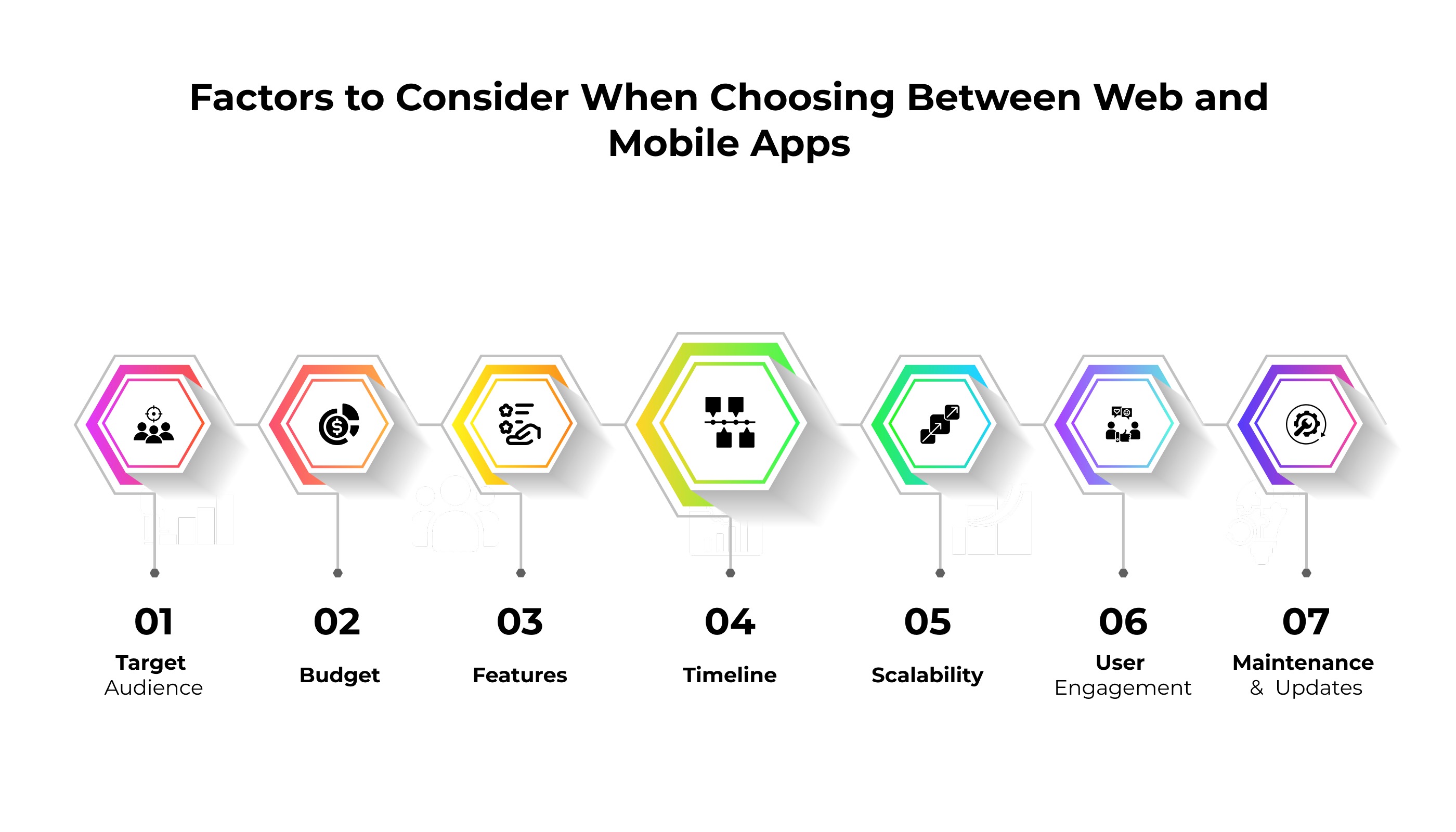
1. Target Audience: Understanding your audience is the most important factor. If your users prefer quick browser access without downloads, a web app is ideal. However, if they rely heavily on smartphones and expect features like push notifications or offline access, a mobile app is the better choice.
2. Budget: Web apps are generally cheaper to build and maintain, making them suitable for startups or small businesses. Mobile apps require higher investment due to separate development for iOS and Android, but they often deliver stronger engagement and ROI in the long run.
3. Features: If your app needs advanced features like offline access, GPS tracking, or push notifications, mobile apps are the way to go. Web apps are better suited for simpler functionality, such as content delivery or basic user interaction, but they lack deep integration with device hardware.
4. Timeline: Web apps can be developed and launched faster since they don’t require app store approvals. Mobile apps take longer due to complex coding, testing, and compliance with app store guidelines, which can delay time-to-market.
5. Scalability: Mobile apps scale better when adding advanced features and handling large user bases. Web apps are easier to scale in terms of accessibility, but performance may suffer with heavy workloads compared to native mobile solutions.
6. User Engagement: Mobile apps tend to have higher engagement because they are installed on devices and can send push notifications. Web apps rely on users visiting through browsers, which often results in lower retention rates.
7. Maintenance and Updates: Web apps are easier to update since changes are applied instantly on the server side. Mobile apps require frequent updates through app stores, which can be time-consuming and add to maintenance costs.
Cost of Web App vs Mobile App Development in 2026
| Aspect | Web App Development (2026) | Mobile App Development (2026) |
| Average Cost Range | $20,000 – $80,000 | $50,000 – $200,000 |
| Development Time | 3 – 6 months | 4 – 12 months |
| Platform Coverage | Works on all browsers | Separate builds for iOS & Android |
| Maintenance Cost | Lower (server-side updates) | Higher (frequent app store updates) |
| Performance | Depends on browser speed | Optimized for device hardware |
| Offline Access | Limited | Strong offline functionality |
| User Engagement | Moderate | High (push notifications, installs) |
| Scalability | Easier to scale quickly | Scales better with advanced features |
| Monetization Options | Ads, subscriptions, SaaS | In-app purchases, subscriptions, app store sales |
Factors like design, integrations, and backend infrastructure affect pricing. Businesses must weigh mobile app development vs web development carefully.
Which Option Is Right for Your Business in 2026?
1. Startups and Small Businesses
Web apps are often the best choice for startups because they are cheaper, faster to launch, and accessible across all devices. This makes them ideal for testing ideas and reaching users quickly without heavy investment.
2. Established Enterprises
Mobile apps are better suited for larger businesses that want stronger customer engagement. They provide offline access, push notifications, and deeper integration with device features, which helps build brand loyalty.
3. Hybrid Approach
Many companies choose to start with a web app and later expand into mobile apps. This strategy balances affordability with long-term growth, allowing businesses to scale gradually while meeting user expectations.
Ultimately, the choice depends on your goals, budget, and customer expectations.
Frequently Asked Questions
Quick answers related to this article from PerfectionGeeks.
1. Which is better for startups: web app or mobile app?
2. How much does it cost to develop a web app vs a mobile app in 2026?
3. What technologies are used by PerfectionGeeks to build web and mobile apps?
4. Which app type provides better user engagement: web or mobile?
Conclusion
The web app vs mobile app development debate does not have a universal answer — and any guide that claims it does is oversimplifying a decision with genuine material consequences for your business.
What 2026 makes clear is this: the gap between the two options is narrowing in cost (cross-platform frameworks), but widening in engagement and performance differentiation. Mobile apps continue to dominate user time and conversion for consumer-facing products. Web apps continue to lead in enterprise B2B, internal tooling, and SEO-driven acquisition contexts. PWAs are increasingly the smart middle path for businesses with constrained budgets and mobile-first audiences.
The framework in Section 4 of this guide gives you the tools to make this decision based on evidence rather than assumption. Work through it. Be honest about your users' actual context and behaviour. Get accurate quotes for both options based on your specific requirements — not industry averages.

Written By Shrey Bhardwaj
Director & Founder
Shrey Bhardwaj is the Director & Founder of PerfectionGeeks Technologies, bringing extensive experience in software development and digital innovation. His expertise spans mobile app development, custom software solutions, UI/UX design, and emerging technologies such as Artificial Intelligence and Blockchain. Known for delivering scalable, secure, and high-performance digital products, Shrey helps startups and enterprises achieve sustainable growth. His strategic leadership and client-centric approach empower businesses to streamline operations, enhance user experience, and maximize long-term ROI through technology-driven solutions.